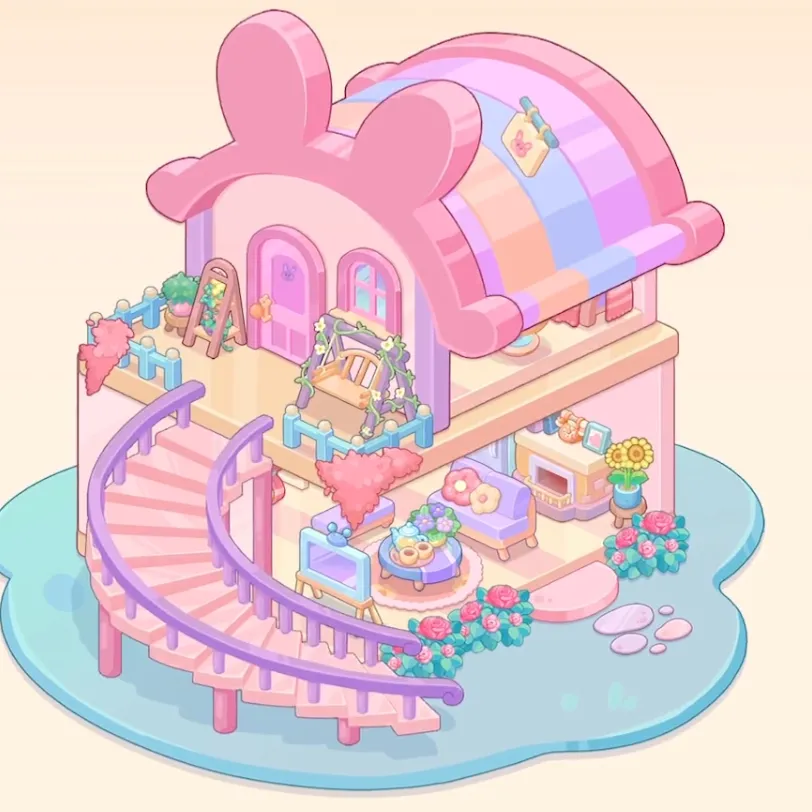
Dreamy Room Level 578
Level 578 guide walkthrough, helping players solve puzzles and explore the wonderful world of Dreamy Room.
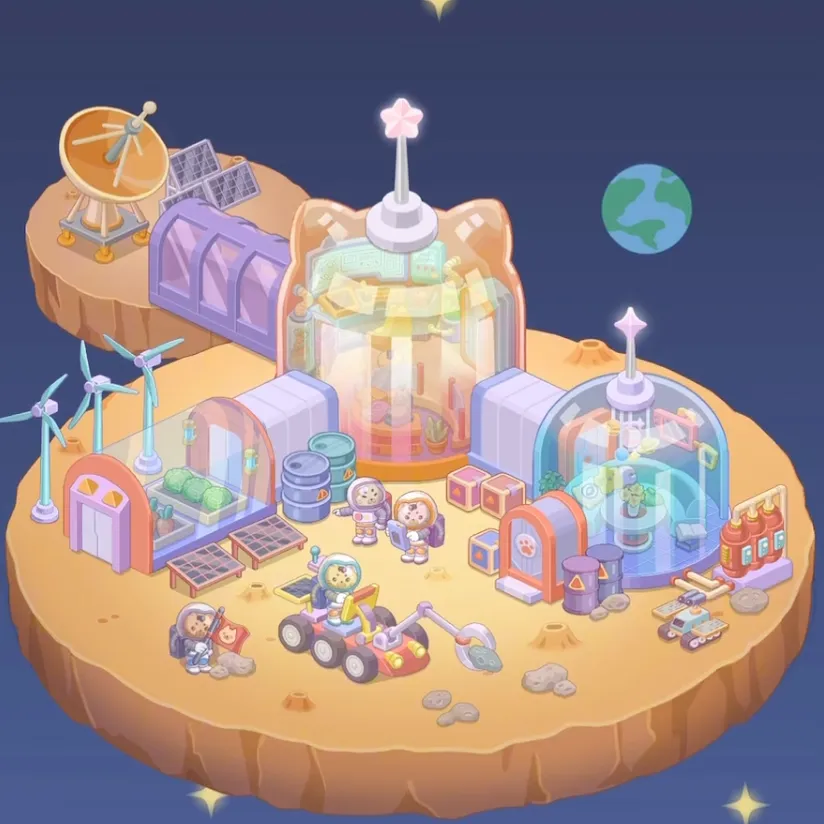
Dreamy Room Level 578 Walkthrough Guide
Dreamy Room Level 578 Room Story
Blast off to an extraordinary space station base built on a floating yellow sand platform circular island suspended in the vast dark blue space background where brave astronauts establish humanity's first extraterrestrial outpost. In Dreamy Room Level 578, the distinctive orange cat ear building frame creates a whimsical gateway to the purple dome habitat with transparent glass walls that protect residents from the vacuum of space, while a cozy blue dome rest cabin provides sleeping quarters for weary space explorers. The magnificent rainbow glass tower central rises as the station's command hub, crowned by a charming pink flower antenna tower that maintains communication with Earth. An orange satellite dish and solar panel array harvest energy from distant stars, while two blue wind turbines generate additional power for the growing colony. Four dedicated astronaut characters work tirelessly operating the control panel computer, organizing blue storage barrels and cargo boxes, and driving the lunar rover vehicle in yellow and red across the alien terrain. The beautiful earth planet decoration reminds everyone of home, while hardy green cactus plants prove life can thrive anywhere. From the gray rocks scattered across the surface to the colorful hot air balloon striped floating overhead, every detail celebrates humanity's bold adventure into the final frontier in this amazing space station paradise.
Dreamy Room Level 578: Step-by-Step Placement Guide
Step 1. Lay Yellow Sand Platform
Drag the yellow sand platform circular to form the floating island base. The dark blue space background should surround the station in Dreamy Room Level 578.
Step 2. Add Star Decorations
Position star decoration 1, star decoration 2, and star decoration 3 in the space background in Dreamy Room Level 578.
Step 3. Build Orange Cat Ear Building Frame
Install the orange cat ear building frame as the main structure gateway in Dreamy Room Level 578.
Step 4. Add Purple Dome Habitat
Position the purple dome habitat glass as the main living area in Dreamy Room Level 578.
Step 5. Add Blue Dome Rest Cabin
Place the blue dome rest cabin for sleeping quarters in Dreamy Room Level 578.
Step 6. Build Rainbow Glass Tower
Construct the rainbow glass tower central as the command center in Dreamy Room Level 578.
Step 7. Add Pink Flower Antenna Tower
Install the pink flower antenna tower for communications in Dreamy Room Level 578.
Step 8. Add Orange Satellite Dish
Position the orange satellite dish for receiving signals in Dreamy Room Level 578.
Step 9. Install Solar Panel Array
Place the solar panel array for power generation in Dreamy Room Level 578.
Step 10. Add Blue Wind Turbines
Install blue wind turbine 1 and blue wind turbine 2 for additional energy in Dreamy Room Level 578.
Step 11. Add Control Panel Computer
Position the control panel computer for station operations in Dreamy Room Level 578.
Step 12. Add Blue Storage Barrels
Place blue storage barrel 1 and blue storage barrel 2 for supplies in Dreamy Room Level 578.
Step 13. Add Cargo Boxes
Arrange cargo box 1, cargo box 2, and cargo box 3 around the base in Dreamy Room Level 578.
Step 14. Add Lunar Rover Vehicle
Position the lunar rover vehicle yellow red for transportation in Dreamy Room Level 578.
Step 15. Add Earth Planet Decoration
Place the earth planet decoration in the sky as a reminder of home in Dreamy Room Level 578.
Step 16. Add Green Cactus Plants
Position green cactus plant 1 and green cactus plant 2 as hardy vegetation in Dreamy Room Level 578.
Step 17. Add Gray Rocks
Arrange gray rock 1, gray rock 2, and gray rock 3 on the surface in Dreamy Room Level 578.
Step 18. Add Hot Air Balloon
Position the hot air balloon striped floating above the station in Dreamy Room Level 578.
Step 19. Add Communication Equipment
Install communication antenna, radar dish, telescope, and antenna dish in Dreamy Room Level 578.
Step 20. Add Robotic Equipment
Position robot arm, landing pad, and flag pole in Dreamy Room Level 578.
Step 21. Add Life Support Systems
Place oxygen tank, fuel container, pump, and generator in Dreamy Room Level 578.
Step 22. Add Tools
Arrange tool box, wrench, hammer, screwdriver, and drill in Dreamy Room Level 578.
Step 23. Add Scientific Equipment
Position measuring device, scanner, and tablet device in Dreamy Room Level 578.
Step 24. Add Astronaut Gear
Place helmet, spacesuit, boots, gloves, and backpack in Dreamy Room Level 578.
Step 25. Add Infrastructure
Install rope, ladder, platform, ramp, bridge, door, window, hatch, and airlock in Dreamy Room Level 578.
Step 26. Add Technical Systems
Position vent, pipe, cable, wire, battery, and circuit board in Dreamy Room Level 578.
Step 27. Add Lighting and Controls
Install light, lamp, spotlight, beacon, gauge, meter, display screen, keyboard, , switch, lever, and valve in Dreamy Room Level 578.
Step 28. Add Space Vehicles
Position satellite, probe, rocket, shuttle, capsule, and module in Dreamy Room Level 578.
Step 29. Add Station Facilities
Place station, laboratory, greenhouse, storage unit, living quarters, and command center in Dreamy Room Level 578.
Step 30. Position Astronaut Characters
Finally, place astronaut character 1, astronaut character 2, astronaut character 3, and astronaut character 4 throughout the space station. Add yellow cube box and sign with warning label. These brave space explorers should bring the floating desert island space station to life and complete Dreamy Room Level 578.
Tips and Tricks
Common Mistakes
- The yellow sand platform circular must be laid first as the floating island foundation; placing structures before the base causes alignment issues in Dreamy Room Level 578.
- Players often struggle with positioning the orange cat ear building frame; ensure it's placed prominently as the main gateway structure before adding domes.
- The rainbow glass tower central is a key landmark; position it in the center before arranging other buildings around it.
- Multiple blue storage barrels and cargo boxes exist for supplies; distribute them logically near work areas rather than clustering randomly.
- The two blue wind turbines should be positioned to complement the solar panel array; strategic placement ensures balanced power generation in Dreamy Room Level 578.
Useful Strategies
- Build the space station foundation completely first by laying the yellow sand platform and establishing the dark blue space background with star decorations before adding any structures in Dreamy Room Level 578.
- Construct all major buildings (orange cat ear frame, purple dome habitat, blue dome cabin, rainbow glass tower) before adding equipment; this establishes the station layout.
- Install all power generation systems (solar panels, wind turbines, satellite dish) early as they're essential infrastructure; other equipment depends on these energy sources.
- Position the control panel computer centrally for easy access; arrange storage barrels and cargo boxes nearby for efficient operations.
- Place the lunar rover vehicle in an accessible location for astronauts to use for transportation across the desert island surface.
- Add green cactus plants and gray rocks to create a realistic alien desert environment; these natural elements enhance the otherworldly atmosphere.
- Position the earth planet decoration and hot air balloon in the sky to add visual interest and remind astronauts of home.
- Distribute the four astronaut characters across different work areas (operating computers, driving rover, organizing cargo, conducting research) to show a fully functional space station in Dreamy Room Level 578.